Menu understanding for real meals

Know what you are ordering.

MenuTure helps diners scan unfamiliar menus, find the dish names that matter, preview what those dishes look like, and hear pronunciation before ordering.

Scan Capture printed or digital restaurant menus.
Extract Turn menu text into a clean dish list.
Preview See images and hear names before choosing.
MenuTure

Know what you are ordering.

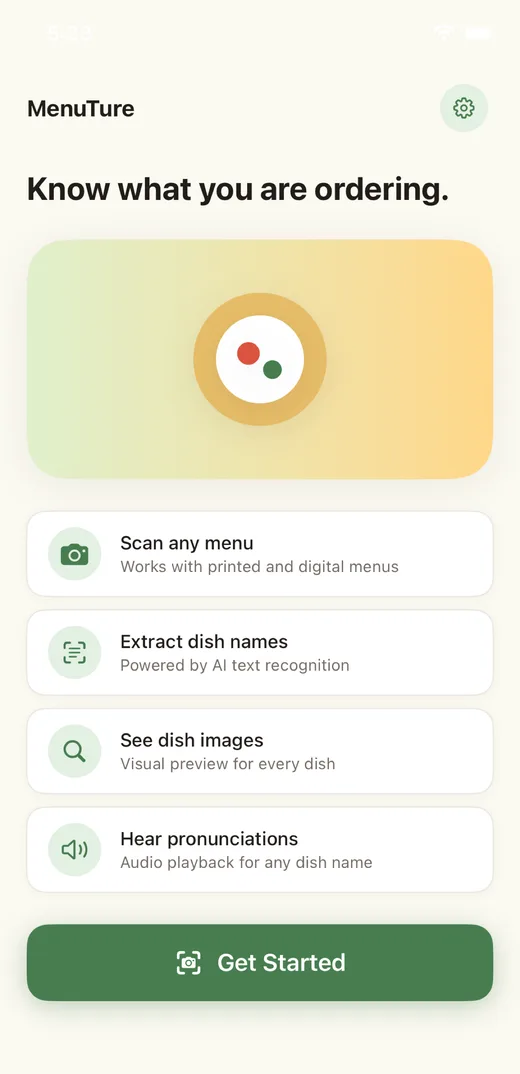
Scan a menu and turn dish names into photos and simple explanations.

Scan any menuWorks with printed and digital menus
Extract dish namesPowered by AI text recognition
See dish imagesVisual preview for every dish
Mission

Make unfamiliar menus feel less uncertain.

Eating out should feel curious, not confusing. MenuTure is built for the moment when a dish name sounds interesting, but you do not know what will arrive at the table. The app gives just enough visual and pronunciation support to help people order with more confidence.

Story

Built from a small dining problem.

The idea started with a simple restaurant habit: searching dish names before ordering. MenuTure turns that habit into a focused flow. Take a photo, let the app identify likely dish names, then explore each one without leaving the dining moment.
How it works

From menu photo to clearer choice.

The current app combines on-device OCR, AI dish extraction, web image lookup, and speech playback into a compact scan-to-understand workflow.

1

Capture the menu

Use the camera or photo library to select a menu image with clear lighting.

2

Extract text

Apple Vision reads menu text locally and prepares it for dish identification.

3

Find dish names

AI filters menu text into a clean list of dishes, ignoring prices and descriptions.

4

Preview each dish

Dish detail pages show image results, pronunciation, and a path to view more images.

App experience

A clean flow for the table.

The interface uses a soft green and warm yellow palette, white cards, quiet borders, and readable screens designed for quick restaurant use.

Capture Menu

Position your camera to capture the entire menu

Good lighting helps improve recognition.

Capture

A focused screen for taking or choosing a menu photo.

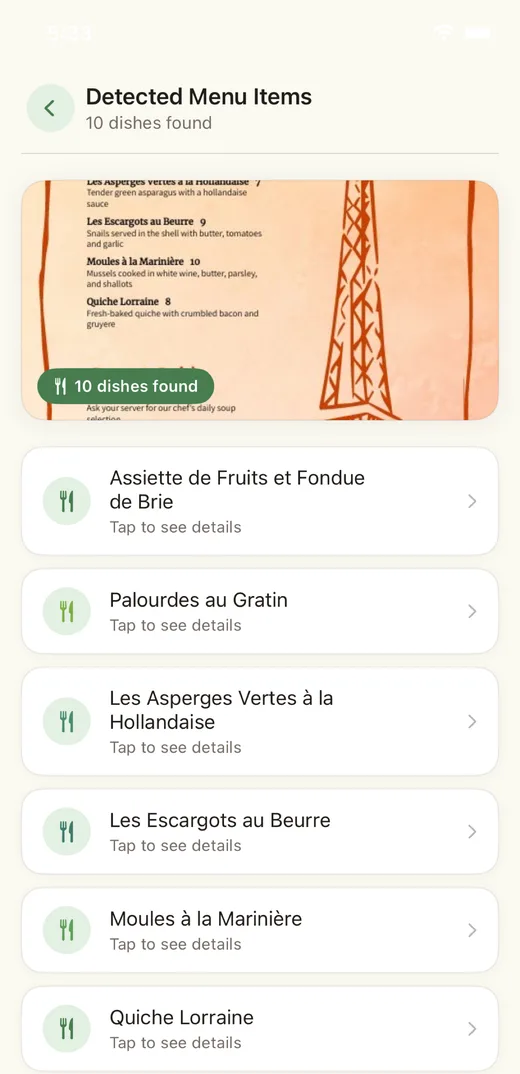
Detected Menu Items
Chicken tendersTap to see details
Cheese curdsTap to see details
Fish and chipsTap to see details

Detected dishes

A cleaned-up list that turns a dense menu into tappable dish names.

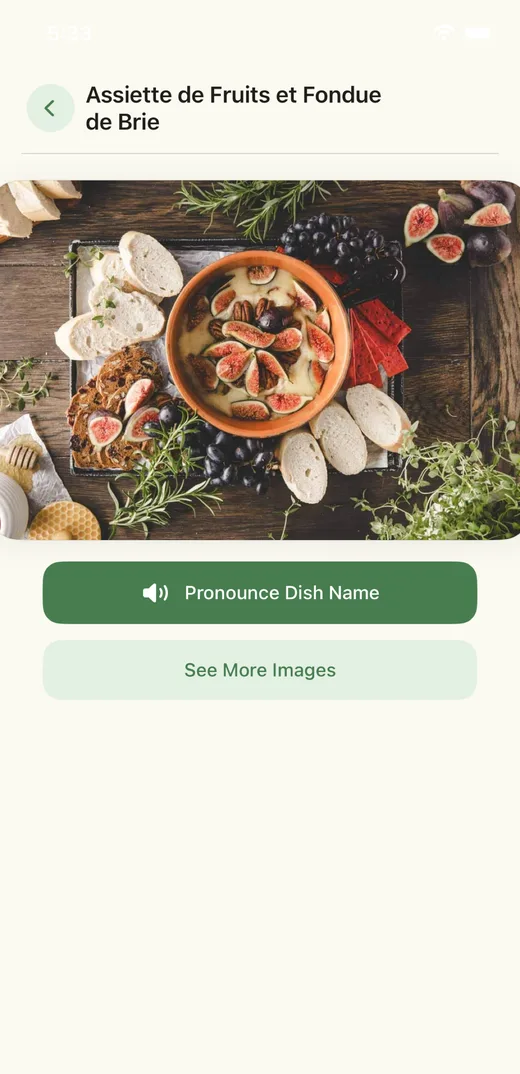
Chicken tenders
Pronounce Dish Name
See More Images

Dish detail

Image lookup and pronunciation help users make a choice faster.

MenuTure Cursor Spark brand icon
Brand and technology

Food guidance with a software studio edge.

The brand mark keeps the clean Cursor Spark direction you selected. It feels closer to an AI and software studio identity while still sitting comfortably beside the food-focused app interface.

Vision OCR reads menu text from photos.
AI extracts only the dish names users need.
Image and speech tools make each dish easier to understand.

Designed for the moment before ordering.

MenuTure is not a restaurant directory or a review app. It is a small, direct tool for understanding the menu already in front of you.

Explore the flow